
How to Change the Battery in a Nissan Key Fob
A generation-by-generation guide from the trade desk — right battery, right opening technique, no reprogramming panic.
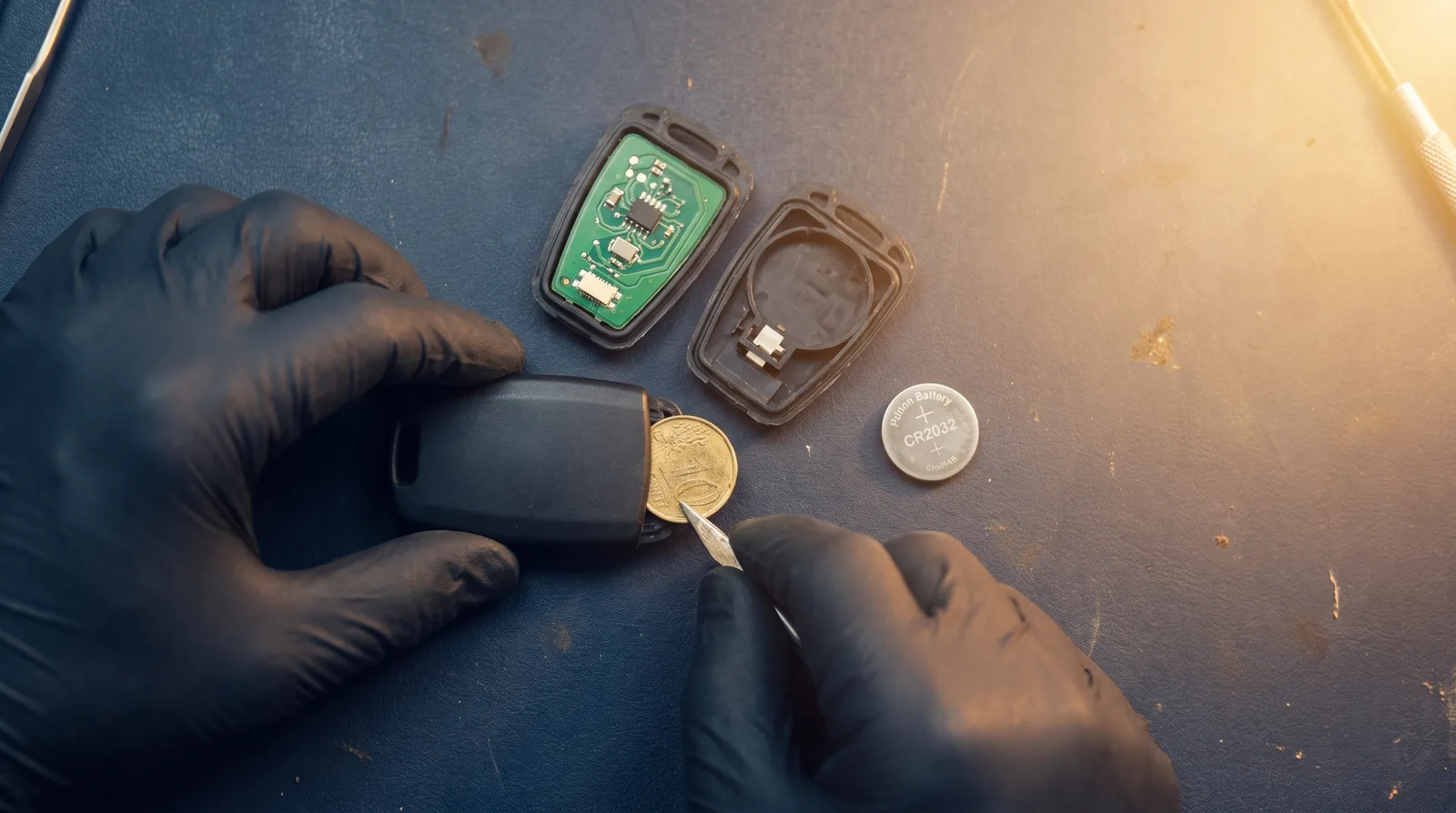
Nissan key fobs are among the easiest to service once you know which generation you are holding. The confusion usually comes from the fact that "Nissan key fob" covers three or four different designs built over two decades, and they do not all take the same battery or open the same way. Grab the wrong coin cell or pry at the wrong seam and you either kill the new battery early or crack the case.
This is what we tell trade-desk callers who want to do it once and do it right. Identify your generation, use the correct battery, and you will be done in under two minutes — with no reprogramming needed in the vast majority of cases.
First, Identify Your Nissan Fob Generation
Before you buy a battery, look at what is in your hand. Nissan fobs fall into a few broad families, and the family tells you almost everything.
- Classic Intelligent Key (roughly 2007–2018) — the squarish black proximity fob with rounded corners, lock/unlock/trunk/panic buttons, and a hidden metal emergency blade you slide out from the bottom. Found across Altima, Maxima, Rogue, Murano, Pathfinder, Sentra, Versa and others of that era.
- Current Intelligent Key (roughly 2019 onward) — a slimmer, flatter proximity fob, often with a remote-start button and sharper edges. Found on newer Rogue, Sentra, Altima, Kicks and Pathfinder.
- Remote-head / flip keys — an older style where the electronics and the metal key are one unit. Common on earlier Sentra, Versa and some fleet vehicles.
- Basic keyless remote — a small button-only remote that rides on a keyring next to a separate cut metal key, seen on older or base-trim models.
If you are not sure which one you have, the safest move is to open the fob and read the battery already inside it. The number stamped on the old cell is the number you replace.
Which Battery Does Your Nissan Fob Take?
Battery type varies by generation, so treat this table as a starting point and always confirm against the cell you remove.
| Fob generation | Typical battery | Notes |
|---|---|---|
| Classic Intelligent Key (2007–2018) | CR2025 | Most common Nissan cell; some late units use CR2032 |
| Current Intelligent Key (2019+) | CR2032 | Thicker cell, slimmer housing |
| Remote-head / flip key | CR2032 or CR1620 | Depends on model year — verify old cell |
| Basic keyless remote | CR2032 | Occasionally CR2025 on older units |
CR2025 and CR2032 are both 20 mm wide — the difference is thickness (2.5 mm vs 3.2 mm). A CR2032 will often physically fit a CR2025 slot but bulge the case; a CR2025 in a CR2032 slot will rattle and lose contact. Use the exact number, not "close enough."
Opening a Nissan Intelligent Key (Most Common)
This procedure covers both the classic and current Intelligent Keys, which open almost identically.
- Release the emergency key. Slide the small latch on the back or side of the fob and pull the metal emergency blade straight out. Set it aside.
- Find the seam. With the blade removed, you will see a slot or notch where the two halves of the case meet.
- Pry gently. Insert the emergency blade (or a small flat-head screwdriver wrapped in tape) into the slot and twist. The case pops apart along the seam — you do not need force, just leverage.
- Note the battery orientation before you lift it out. On most Nissan fobs the positive (+) side faces up toward the buttons, but confirm before removing so you seat the new one the same way.
- Swap the cell. Pop the old battery out and press the new one in. Handle it by the edges — skin oils on the flat faces shorten battery life.
- Close and reinsert the blade. Snap the halves together until they click, then slide the emergency key back in until it latches.
That is the whole job. If the buttons feel mushy or the case does not close flush, the battery is probably in upside down.
Do You Have to Reprogram After a Nissan Battery Change?
For a straight battery swap, no reprogramming is required. The fob's ID stays paired to the car through the battery change. When you finish, the vehicle should recognize the Intelligent Key immediately.
A few honest caveats:
- The dash may keep showing a "Key battery low" warning until you cycle the ignition once or twice. That is normal and clears on its own.
- If the fob was completely dead and you had been starting the car by holding the fob against the start button, that is a backup feature (the fob's transponder chip powers off the vehicle's field) — it does not mean the fob needs programming, just a battery.
- Full key registration (adding a new key, or a key that has lost its pairing) is a different job entirely. That requires a BCM registration tool and the vehicle PIN — it is not something a battery fixes. If a key stops working after a correct battery swap, that points to a fault in the fob or a lost registration, not the cell.
When a New Battery Doesn't Fix It
If you have installed the correct, fresh battery in the right orientation and the fob still misbehaves, work through this quickly:
- Re-check orientation and contact. The single most common cause of a "dead" fob after a battery change is a cell installed upside down or a bent contact tab.
- Test the backup start. Hold the fob against the start button and press brake + start. If the car starts this way, the immobilizer chip is fine and you are dealing with a weak remote signal or worn buttons.
- Suspect the fob, not the battery. Cracked boards, water damage and worn button membranes all mimic a dead battery. At that point the fix is a replacement fob matched by FCC ID or part number, not another coin cell.
For locksmiths and trade accounts servicing customer vehicles, this is where an exact-fit replacement matters — the wrong shell or the wrong frequency turns a five-minute battery job into a comeback.
FAQ
What battery does a Nissan Intelligent Key take? Most classic Nissan Intelligent Keys (2007–2018) use a CR2025. The current slimmer generation (2019+) typically uses a CR2032. Always confirm against the cell you remove.
Will my Nissan key fob need reprogramming after I change the battery? No. A battery swap does not erase the fob's pairing. You may see a temporary "key battery low" message that clears after cycling the ignition.
My Nissan won't detect the key even with a new battery — what now? First confirm the battery is fresh and installed the correct way up. If it still fails, try holding the fob against the push-start button to start the car. If that works, the chip is fine and the remote or buttons may be worn; if the key has genuinely lost its registration, it needs a programming tool, not a battery.
Can I use a CR2032 instead of a CR2025 in my Nissan fob? Not ideally. They share the 20 mm diameter but differ in thickness. A CR2032 can bulge a case built for CR2025 and a CR2025 rattles in a CR2032 slot. Match the exact number for reliable contact.
Servicing Nissan fobs for customers and want the replacement to fit the first time? Car Key Source supplies trade-only Nissan Intelligent Keys, remotes and blades from Ilco, Strattec and the major brands, matched by exact FCC ID or part number so there are no comebacks. Not sure which fob a vehicle takes — use Find My Fob or send us the details for an instant wholesale quote. New to the trade desk? Apply for a wholesale account for gated pricing and same-day dispatch. For more on decoding your fob before you order, see our guide to finding the FCC ID on a key fob or the all-brand key fob battery replacement guide.
If the fob is beyond a battery
Nissan cases crack at the seam and the button membranes wear through long before the electronics fail. When the shell is the problem, replace the fob rather than the cell:
- 2019–2024 Altima / Versa / Sentra — 5-button smart key, KR5TXN4
- 2018–2021 Kicks / Rogue — 4-button smart key, KR5TXN3
- 2014–2021 Rogue / X-Trail — 4-button smart key, KR5S180144106
- 2003–2019 Nissan — 4-button remote head key, CWTWB1U751
The FCC ID is printed on the back of the original — match it exactly. Everything we hold is on the Nissan keys and fobs page, with the Rogue split out separately.
Get trade tips in your inbox
Programming guides, sourcing tips and new-stock drops for working locksmiths. No spam, unsubscribe anytime.
So we can call you about fitment or your order.
About the author
Written by the working locksmiths behind the Car Key Source trade desk — the people who answer the phone when a key will not program. Questions about a specific job? Email info@carkeysource.com.
Buying keys for a shop or van?
Trade pricing is for locksmiths and shops. One short form, free, no card. Most accounts are approved instantly.