
How to Change a Key Fob Battery — Every Major Brand
Battery types, pry points, and step-by-step instructions for Nissan, Honda, Toyota, Ford, BMW and more — from a wholesale trade desk.
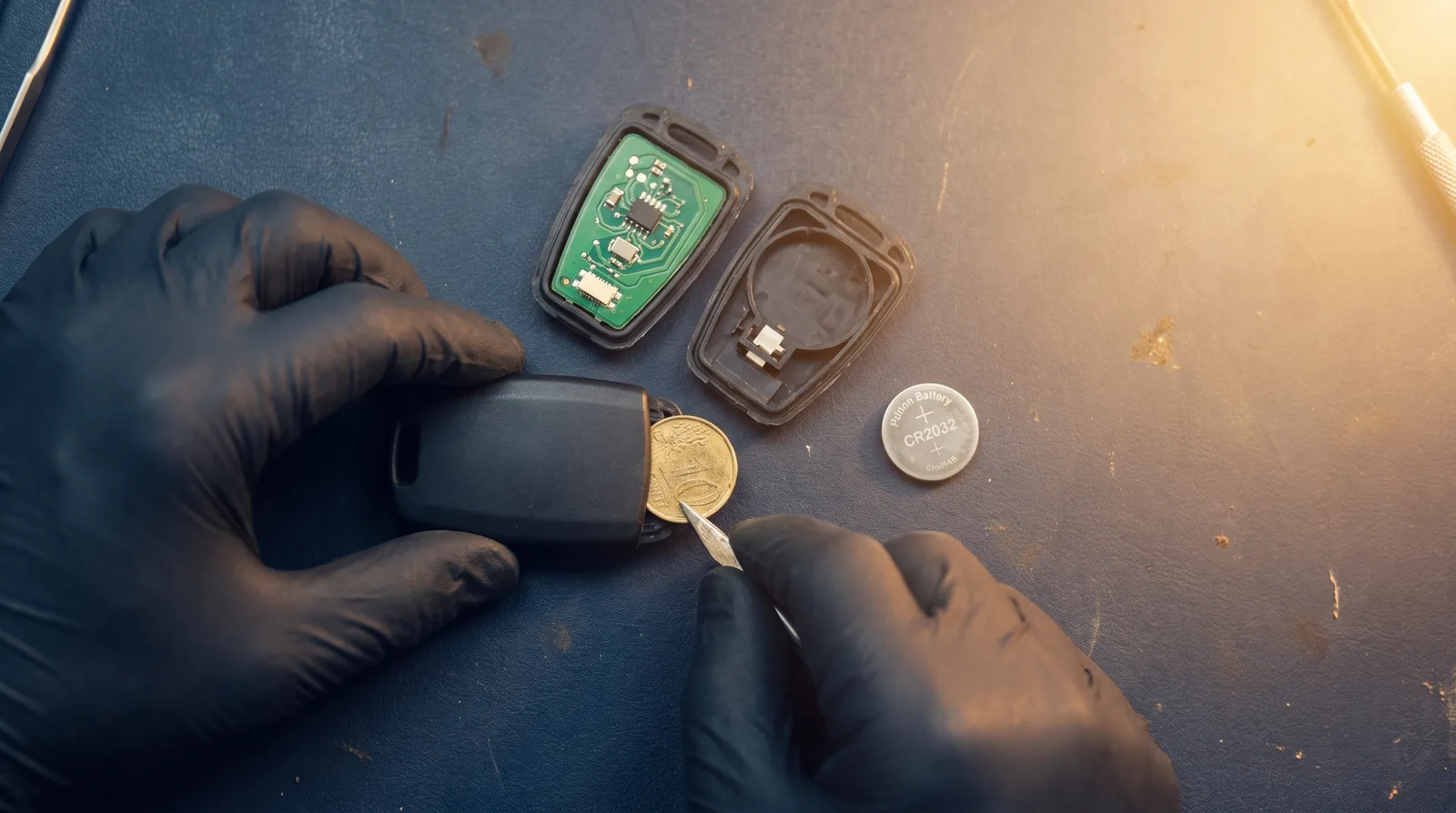
Your key fob rarely dies without warning. The battery fades over weeks or months: first you notice the range shrinking, then you're pressing the unlock button two or three times, and eventually the dash throws a "key fob battery low" message — or the car stops seeing the fob altogether.
We run a wholesale trade desk that supplies working locksmiths, and a "dead remote" is one of the most common problems their customers call about. Most of the time the fix is a coin-cell battery that costs a few dollars, and you can swap it at the kitchen table. This guide covers the battery type and the opening procedure for every major brand — the same instructions we give over the phone.
Classic symptoms of a weak fob battery:
- Shrinking range — you have to stand next to the vehicle for the buttons to work
- Buttons need several presses before the car responds
- Keyless entry or push-button start works intermittently
- A low-battery warning for the key appears on the instrument cluster
- The car only starts when the fob is held against the start button or placed in a backup pocket
Which battery does your key fob take?
Nearly every automotive fob runs on a 3-volt lithium coin cell. Five sizes cover the vast majority of vehicles on the road: CR2032, CR2025, CR2016, CR1620 and CR2450. The last two digits are the thickness — a CR2032 is 3.2 mm thick, a CR2025 is 2.5 mm — so a "close enough" battery can rattle, lose contact, or bulge the case. Match the size exactly.
| Brand | Common battery types |
|---|---|
| Nissan / Infiniti | CR2032, CR2025 |
| Honda / Acura | CR2032, CR2025 |
| Toyota / Lexus | CR2032, CR2016 |
| Ford / Lincoln | CR2032, CR2450 (many 2015+ smart keys) |
| Subaru | CR2032, CR1620 (older remotes) |
| Hyundai / Kia | CR2032, CR2025 |
| Jeep / Chrysler / Dodge / Ram | CR2032 |
| Mercedes-Benz | CR2025, CR2032 |
| Mazda | CR2025, CR1620 (older flip keys) |
| BMW | CR2032 (some older fobs are sealed) |
One rule beats every chart: the exact cell number is printed on the old battery. Open the fob, read the battery, and buy that. Get a name-brand cell from a sealed package — loose bargain-bin cells can sit on a shelf for years and arrive half-drained.
Before you start: wrap the tip of your flat screwdriver in tape so you don't gouge the housing, and always note the battery orientation before lifting the old cell out — positive side up versus down varies by brand and even by model year.
Nissan and Infiniti
- Slide the release latch on the back of the fob and pull out the emergency key blade.
- Look inside the slot where the blade sat — there is a small pry notch molded into it.
- Insert a taped flat screwdriver into the notch and twist gently until the two halves of the housing separate.
- Note which way the old battery faces — on most Nissan Intelligent Keys the negative side faces up toward the back cover, but confirm against your own fob before removing it.
- Swap the cell, seat the rubber button pad, and snap the halves together until they click all the way around.
If the buttons feel mushy afterward, reopen it — the button pad has usually slipped off its posts.
Honda and Acura
- On smart keys, press the release button and slide out the metal emergency key.
- Wedge a coin or taped flathead into the seam at the corner where the blade sat, then twist to split the case.
- The battery sits in the back half under a small retaining lip. Note the orientation — positive side up on most Honda smart fobs.
- Press the new cell under the lip, check the rubber gasket is seated, and snap the halves back together.
Older Honda flip keys and teardrop remotes are different: many have a small Phillips screw on the back. Remove the screw first, then pry the seam — forcing it without pulling the screw cracks the housing.
Toyota and Lexus
- Slide or press the release and remove the mechanical key blade.
- Insert the tip of the blade — or a taped flathead — into the notch left behind and twist. The back cover pops off.
- The battery may sit under a thin inner cover; lift it off with a fingernail rather than metal, and don't lose it — the battery can shift without it.
- Note orientation before removing the cell. On many Toyota smart keys the printed (positive) side faces the back cover, but check yours.
- Reassemble and test both the buttons and the proximity function before handing the key back.
Ford and Lincoln
- On newer smart keys, press the release and pull the emergency blade, then pry the back cover off starting at the blade opening.
- Many 2015-and-newer Ford smart keys take the thicker CR2450 — do not force a CR2032 in and call it done; it will lose contact.
- Older Ford remotes and remote head keys split along the center seam. Work a coin along the seam near the key ring until the halves separate.
- Note orientation, swap the cell, and press the case together firmly.
Subaru
- On smart keys, remove the emergency blade, then put a coin in the notch beside the blade slot and twist.
- The board and battery sit in the back half. Note orientation before lifting the cell out.
- Older rectangular Subaru remotes usually have a single Phillips screw on the back — remove it, then split the case gently. These older units commonly take the smaller CR1620.
- Reassemble, and check the gasket on smart keys so the fob keeps its splash resistance.
Hyundai and Kia
- Press the release button and slide out the emergency blade.
- Work a taped flathead or a plastic pry tool into the seam starting at the blade slot, and walk it around until the case opens — the clips mark easily, so go gently.
- The battery sits on the circuit board, positive side up on most models — confirm before removing.
- Snap together and test.
Jeep, Chrysler, Dodge and Ram
- Pull the emergency key release and remove the blade (on fobik-style keys, slide the small latch on the side).
- Use the blade slot as your pry point — a coin twisted in the slot separates the halves.
- These fobs have a rubber perimeter gasket. Keep it seated in its channel as you reassemble, or the case won't close square.
- Most take a single CR2032; note the orientation before swapping.
Fobiks live on work keychains and take abuse — while it's open, check the solder joints around the battery clip for hairline cracks.
Mercedes-Benz
- Slide the square tab at the base of the SmartKey and pull the emergency blade out.
- Flip the fob over and push the tip of the blade into the exposed slot — the back cover releases and slides off. No prying needed.
- Some models take one cell, some take two stacked cells — replace both, and match the orientation of what came out.
- Slide the cover back on until it clicks and reinsert the blade.
This is the fob people fight with the most, because they try to pry a case that is designed to slide. Let the key blade do the work.
Mazda
- Push the release button and remove the auxiliary key blade.
- Insert a taped flathead into the slot at the corner and twist to separate the shell.
- Lift the inner retainer cap covering the battery, note orientation, and swap the cell — CR2025 in most current Mazda fobs.
- Reseat the retainer, line up the gasket, and press the halves together.
Skipping the retainer cap is the classic Mazda mistake — without it the battery floats and the fob only works when squeezed.
BMW
- On current fobs, press the release tab, pull the blade, and pry the back cover off starting at the blade opening.
- Most take a CR2032; note the orientation before removing the old cell.
- Snap the cover back on and test lock, unlock and Comfort Access.
Important exception: many older BMW Comfort Access fobs (roughly pre-2011) have a sealed rechargeable battery that tops up while the key sits in the ignition slot. There is no user-replaceable cell — when one stops holding a charge, the fob gets replaced, not the battery.
When a new battery doesn't fix it
If a fresh, correctly oriented cell doesn't bring the fob back, the battery was never the problem. The usual suspects, in the order we see them:
- Worn buttons. The rubber contact pads wear through after years of presses. One dead button while the rest work is the giveaway.
- Cracked solder joints. Drops and keychain abuse fracture the joints around the battery clip or the buttons. A fob that works when you squeeze it has a broken joint, not a weak battery.
- Water damage. Corrosion on the board after a trip through the wash. Sometimes cleanable, usually terminal.
- Lost or absent programming. If the fob was never paired to the car — or the vehicle's key memory was wiped during other service — no battery will fix it. See our guide to how key fob programming works.
At that point the honest answer is a replacement fob. Match it by the FCC ID printed inside the case — our guide to finding the FCC ID on a key fob shows exactly where to look — or use Find My Fob to match by year, make and model. You can also browse keyless entry remotes and fobs by vehicle.
FAQ
How long do key fob batteries last?
Three to four years is typical for a standard remote. Smart proximity keys drain faster because they are constantly listening for the vehicle — and storing the fob near the car, like a hook by the garage door, keeps both sides chattering and can shorten battery life further.
Will I need to reprogram the fob after changing the battery?
Usually not. The pairing between fob and vehicle is stored in non-volatile memory on both ends, so it survives with the battery removed. If the fob doesn't work after a swap, check the battery orientation and the contacts before assuming anything worse.
Can an auto parts store change my key fob battery?
Many will, often free when you buy the battery there. A battery swap is not programming — it's a safe, reversible job wherever it's done. Just confirm they've matched the exact cell number printed on the old battery.
For locksmiths and shops: Car Key Source is a trade-only wholesale supplier of replacement keys, remotes and smart fobs, matched by FCC ID and part number with an exact-fit guarantee and same-day dispatch on orders placed by 4 PM ET. Apply for a trade account to see wholesale pricing across the catalog.
When the fob itself is the fault
Batteries are the cheap fix. When the case is split, the pad is worn or the board is dead, you need the fob. Straight to the stock lists for the makes covered above: Toyota, Honda, Ford, Nissan, Chevrolet, Hyundai, Kia, Jeep — or every make we hold.
Two of the most-substituted replacements:
Get trade tips in your inbox
Programming guides, sourcing tips and new-stock drops for working locksmiths. No spam, unsubscribe anytime.
So we can call you about fitment or your order.
About the author
Written by the working locksmiths behind the Car Key Source trade desk — the people who answer the phone when a key will not program. Questions about a specific job? Email info@carkeysource.com.
Buying keys for a shop or van?
Trade pricing is for locksmiths and shops. One short form, free, no card. Most accounts are approved instantly.